Discord Rich Presence
Yatsu can share your current reading activity with Discord Desktop through a local companion.
Use the Windows companion app if you read on Windows. If you read on macOS, Linux, or another setup where you usually keep Anki open, use the Yatsu Reader Discord Companion Anki add-on instead.
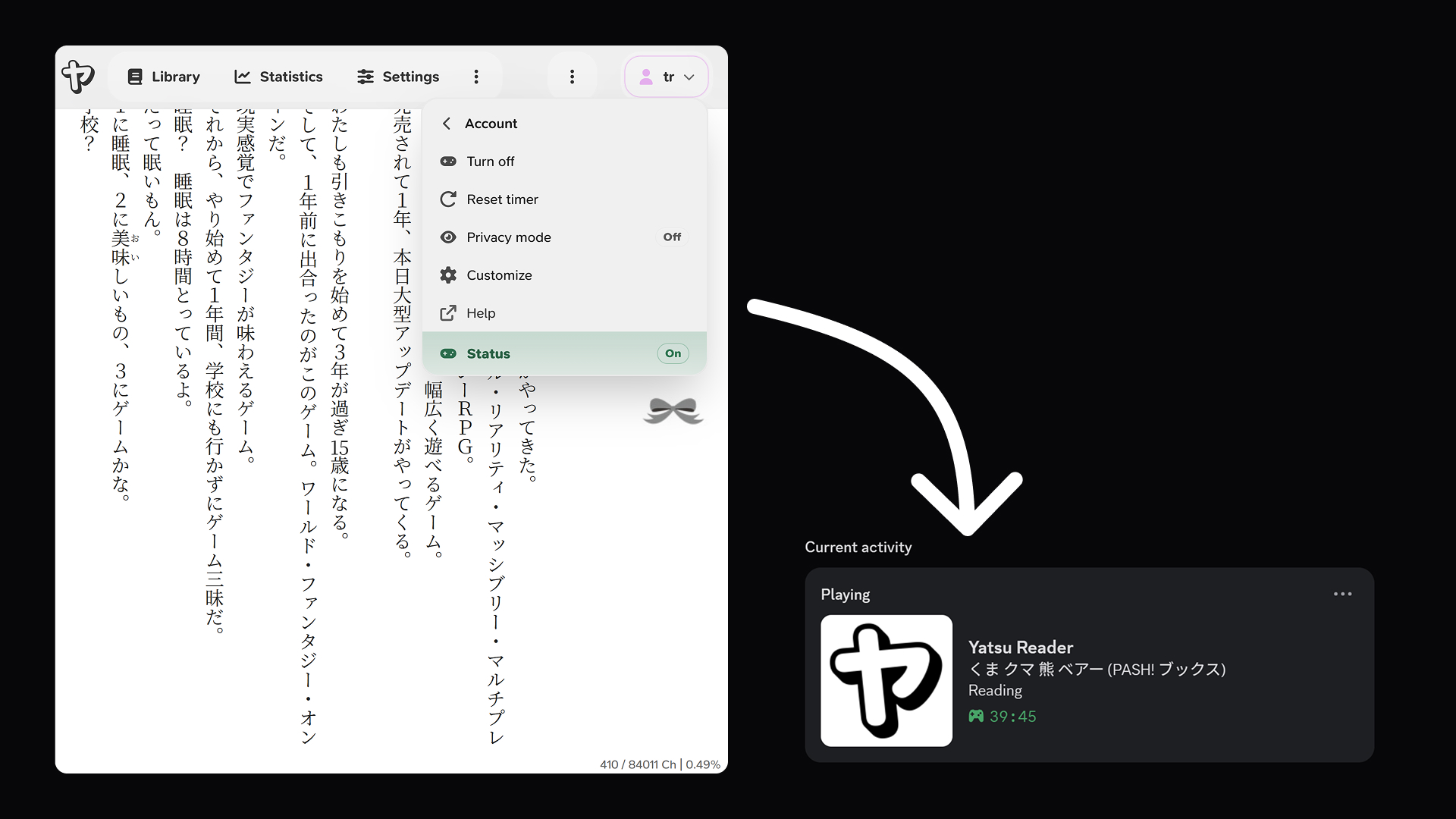
Discord Rich Presence is controlled from the account menu in the top-right of Yatsu. Open Discord Rich Presence to turn it on or off, reset the elapsed timer, toggle privacy mode, customize its display, open help, or check the current companion status.
Requirements
- You must be signed in to Yatsu.
- Discord Desktop must be running on the same device as Yatsu.
- One companion must be installed and running: the Windows companion app, or the Anki add-on with Anki Desktop open.
- The browser must allow Yatsu to contact the local companion on
127.0.0.1.
The companion only listens on the local device. It receives the current activity from Yatsu over loopback and publishes it to Discord Desktop. Discord web, mobile, and console clients do not support this local Rich Presence flow.
Install a Companion
Yatsu needs one local companion running on the same device as Yatsu, Discord Desktop, and your browser. You do not need both companion options.
Windows companion app
Yatsu Companion is available from the Microsoft Store for Windows. Install and open it on the same Windows device where you use Discord Desktop and Yatsu.
Download Yatsu Companion for Windows
This button opens the Microsoft Store app directly on Windows. If it does not open, use the Microsoft Store web listing as a fallback.
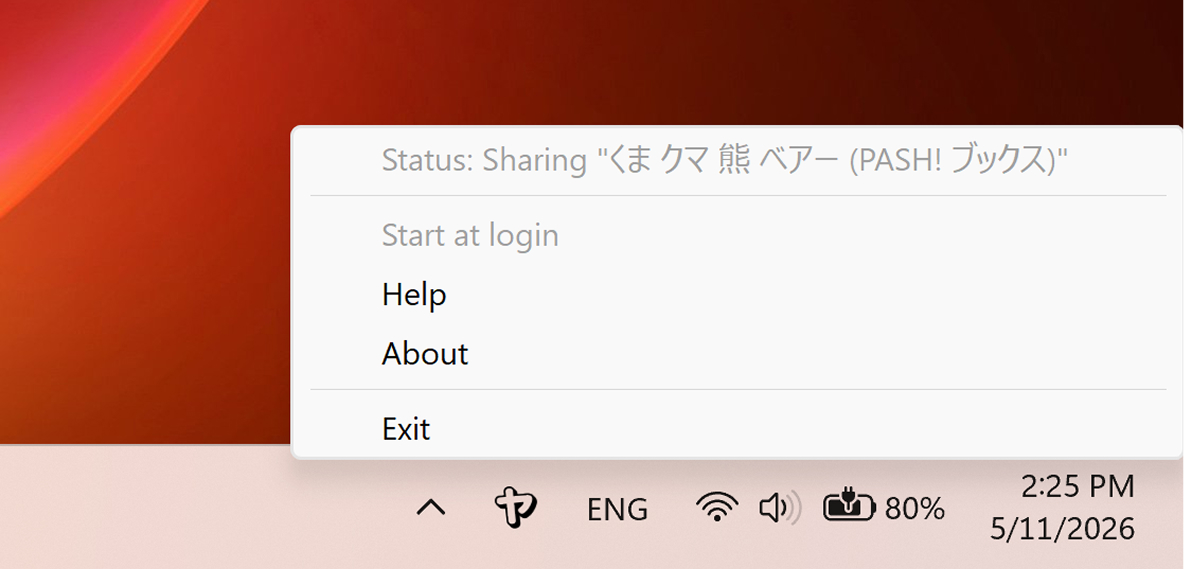
After installation, Yatsu Companion lives in the Windows system tray. Its tray menu shows whether it is sharing the current book and lets you open Help, view About, toggle Start at login, or exit.
Anki add-on
Yatsu Reader Discord Companion is also available as an Anki add-on:
To install it from Anki:
- Open Anki Desktop.
- Choose Tools -> Add-ons -> Get Add-ons.
- Paste this code:
1262858752
- Restart Anki.
Keep Anki open while using Discord Rich Presence. The add-on starts a local companion inside Anki and clears the Discord activity automatically if the Yatsu tab stops sending updates.
Status
The status row in the Discord Rich Presence menu shows whether Yatsu can reach the companion and Discord:
- On means the companion is detected and ready.
- Checking, Install, or Closed means Yatsu is waiting for a companion or Discord Desktop.
- Blocked or Error means the local request or Discord update failed.
- Off means Yatsu is not sharing activity.
Once connected, Discord shows Yatsu Reader under your current activity.
Supporter Customization
Yatsu Supporters can open Customize from the Discord Rich Presence menu.
Supporters can change:
- the Discord detail line
- the reading line
- the paused line
- whether the paused state is shown
- whether the elapsed timer is shown
- whether the current chapter or section is automatically appended to the status line, when Yatsu can determine it
Use placeholders in text fields:
{title}for the current book title{status}for the resolved reading or paused line{percent}for the current completion percentage{chapter}for the current chapter or section, when available
The dialog includes a small preview for reading and paused states. Chapter and section data depends on the book format and might not always be available.
The {chapter} placeholder can be used in text fields even when automatic chapter or section display is off.
For non-Supporters, the Customize item opens the same dialog in a locked preview state, but the default Rich Presence format is used.
Privacy
When Discord Rich Presence is on, Yatsu sends the local companion enough activity data to update Discord, such as the displayed book title, reading or paused state, timer setting, current completion percentage or chapter if configured, and the generated browser session ID.
Privacy mode is available directly from the Discord Rich Presence menu. When privacy mode is on, Yatsu keeps Rich Presence active but sends generic Yatsu activity instead of the current book title, progress, or chapter.
Yatsu does not send book files, book content, bookmarks, highlights, book notes, storage credentials, or your Yatsu account identifiers to the companion for Rich Presence. The Anki add-on is only used as a local host for the companion bridge; it does not need access to your Anki notes or cards.
Supporter customization is stored in this browser for the signed-in Yatsu account. It does not upload books or reading data.