How to Report Bugs
When something breaks in Yatsu, the most useful bug report is a short description of the problem plus a diagnostics bundle.
Note
Diagnostics are generated locally in your browser. Yatsu does not upload them anywhere by itself. You choose if and when to share the ZIP file.
Download a diagnostics bundle
- Try to reproduce the problem first, so the relevant actions and errors are included in the log.
- Open Settings.
- Go to the Data tab.
- Scroll down to Diagnostics.
- Click Download Diagnostics Bundle.
- Send the resulting
yatsu-diagnostics-YYYYMMDD-HHMMSS.ziptogether with your report.
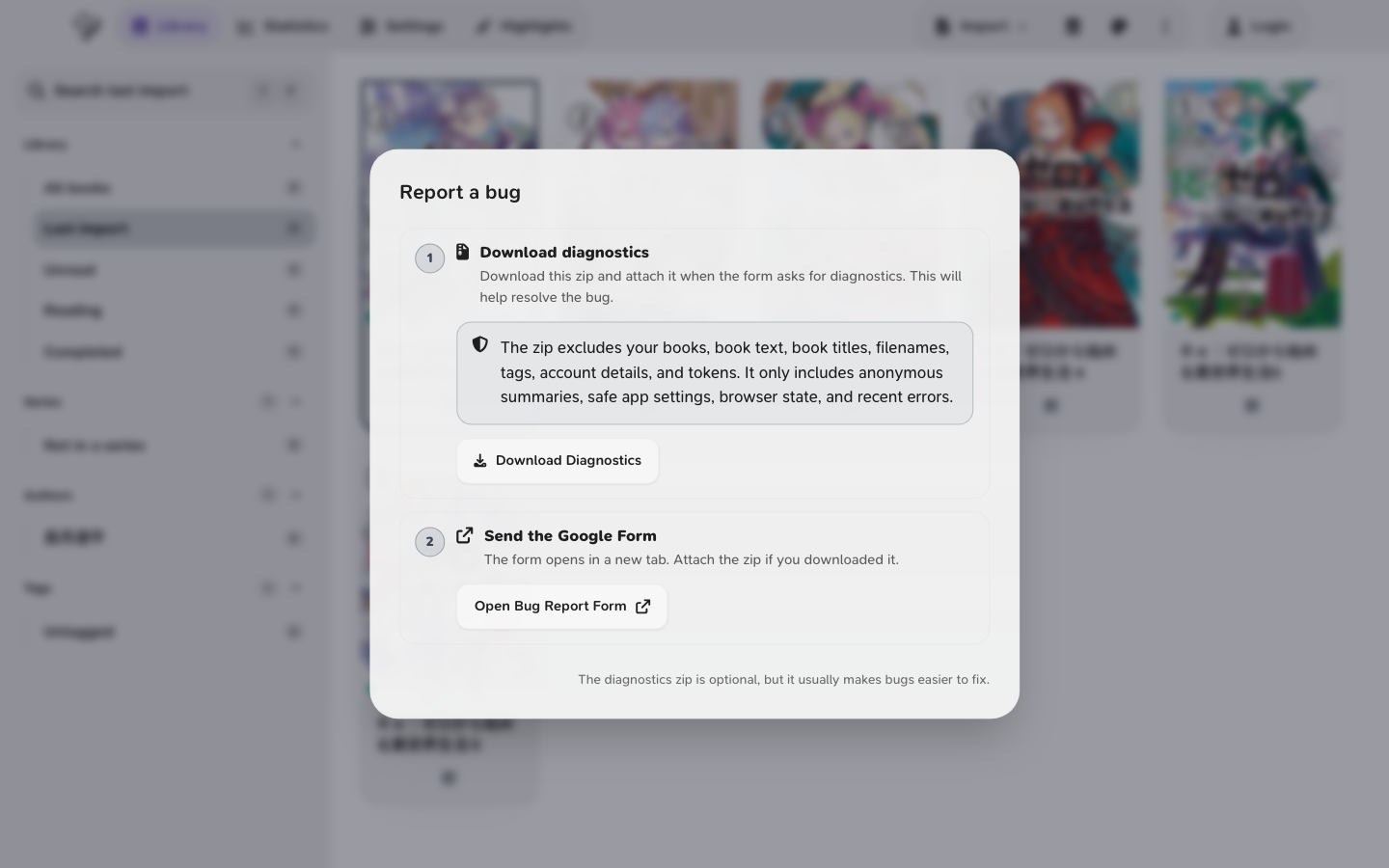
If Yatsu shows an error dialog, you can also click Download Diagnostics there.
What to include in your report
Please include:
- What you expected to happen
- What actually happened
- The exact steps that led to the issue
- Which storage source you were using: Browser, Google Drive, OneDrive, or Filesystem
- Whether the issue goes away after a reload or still happens in a new tab
- Whether it affects every book or only some books
- Your browser and device
- Screenshots or a short screen recording, if useful
For sync or metadata issues, it is especially helpful to mention if retrying eventually works, and whether more than one tab or device was open at the same time.
What the diagnostics ZIP contains
The bundle includes up to 1,200 log entries from the last 24 hours.
It can include:
- Recent actions inside Yatsu
- Detailed logs and captured errors
- Request timing and request failure data
- Page navigation and app startup or shutdown events
- Browser and device information
- A snapshot of current Yatsu settings
- A snapshot of local browser storage used by Yatsu
- A library and database summary, including book titles, series, tags, progress, and storage-source summaries
Privacy notes
Review the ZIP before sharing it. It can include book titles, series, tags, settings, and browser state. It does not include full book contents or exported book files.
Where to send bug reports
If you were asked for diagnostics, attach the ZIP to your report and include the notes above.
You can send it directly to @ytrms on Discord.